Free
$0
- Up to 5 time zones
- Daylight-aware zone cards and the city view
- Time shift planner and Best Time to Call
- Travel Mode, with Home's holidays and clock changes
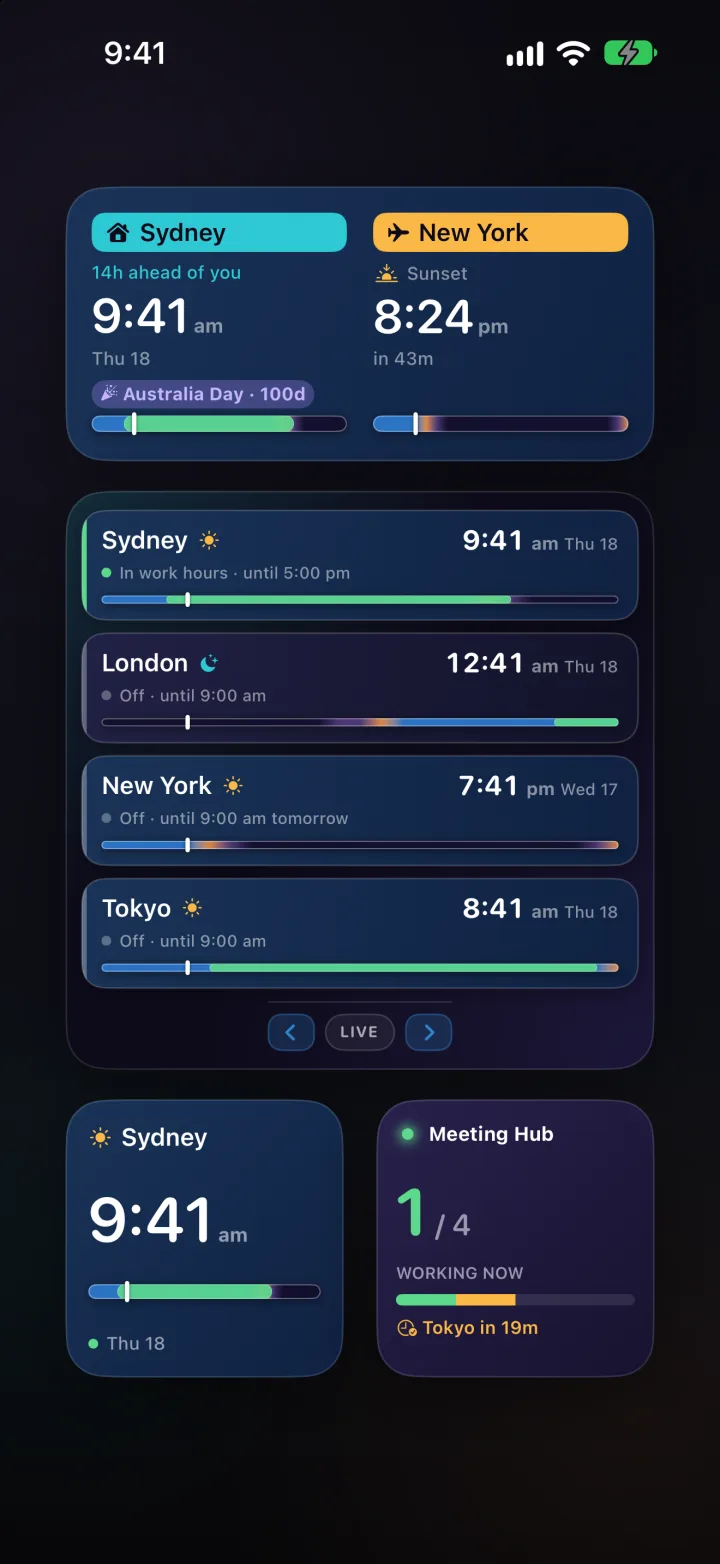
- Home & Away, Single Zone and Multi-City widgets, StandBy and a Lock Screen clock
 Time Zone Buddy
For people who work across time zones
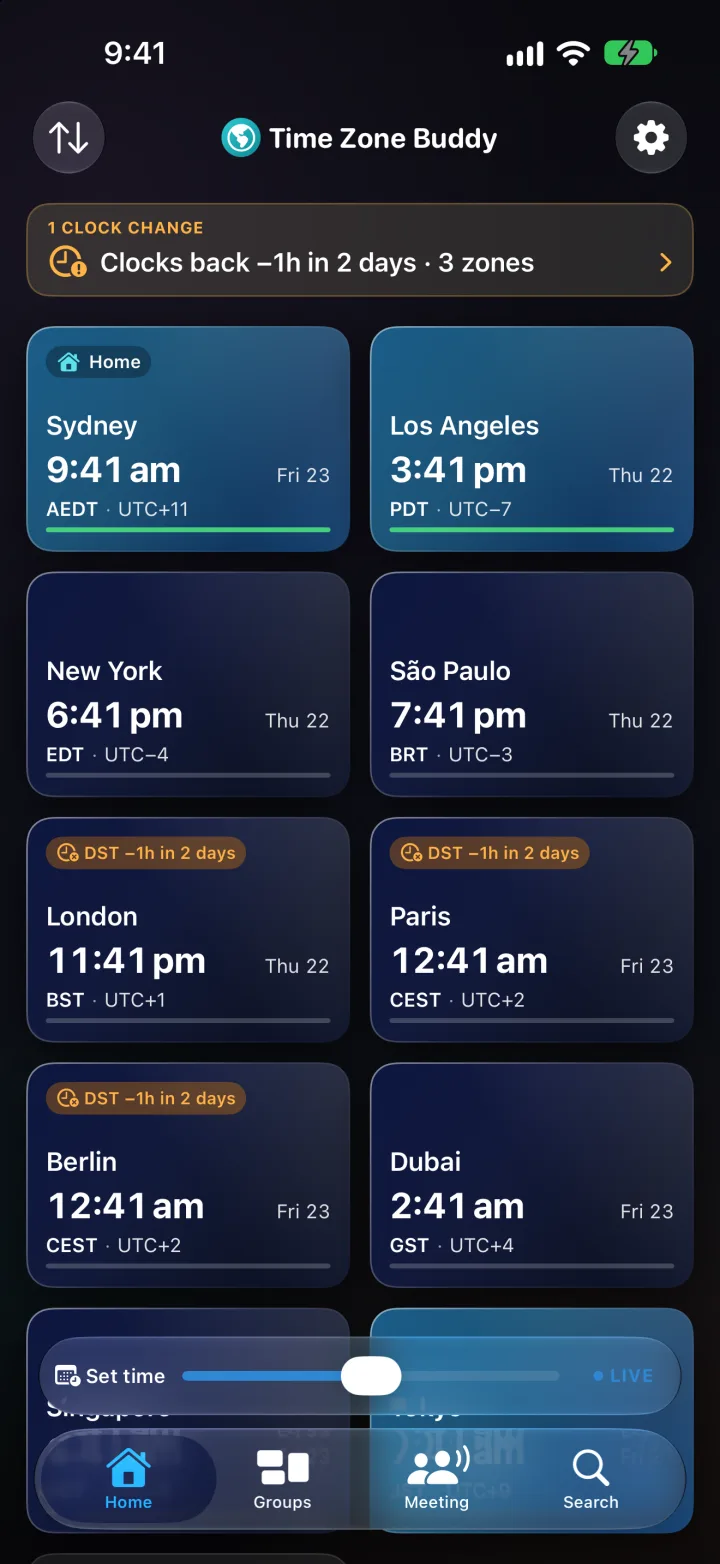
Daylight-aware zone cards, intelligent scheduling, DST alerts, and Home Screen widgets — all on your device, with no personal data collected.

Free to download · No account
Plus from $1.25/month
Also on the Mac
Coming soon to the EU
Time Zone Buddy isn't on the EU App Store yet. Get one email the moment it launches in your country — nothing else.
Travel Mode Free
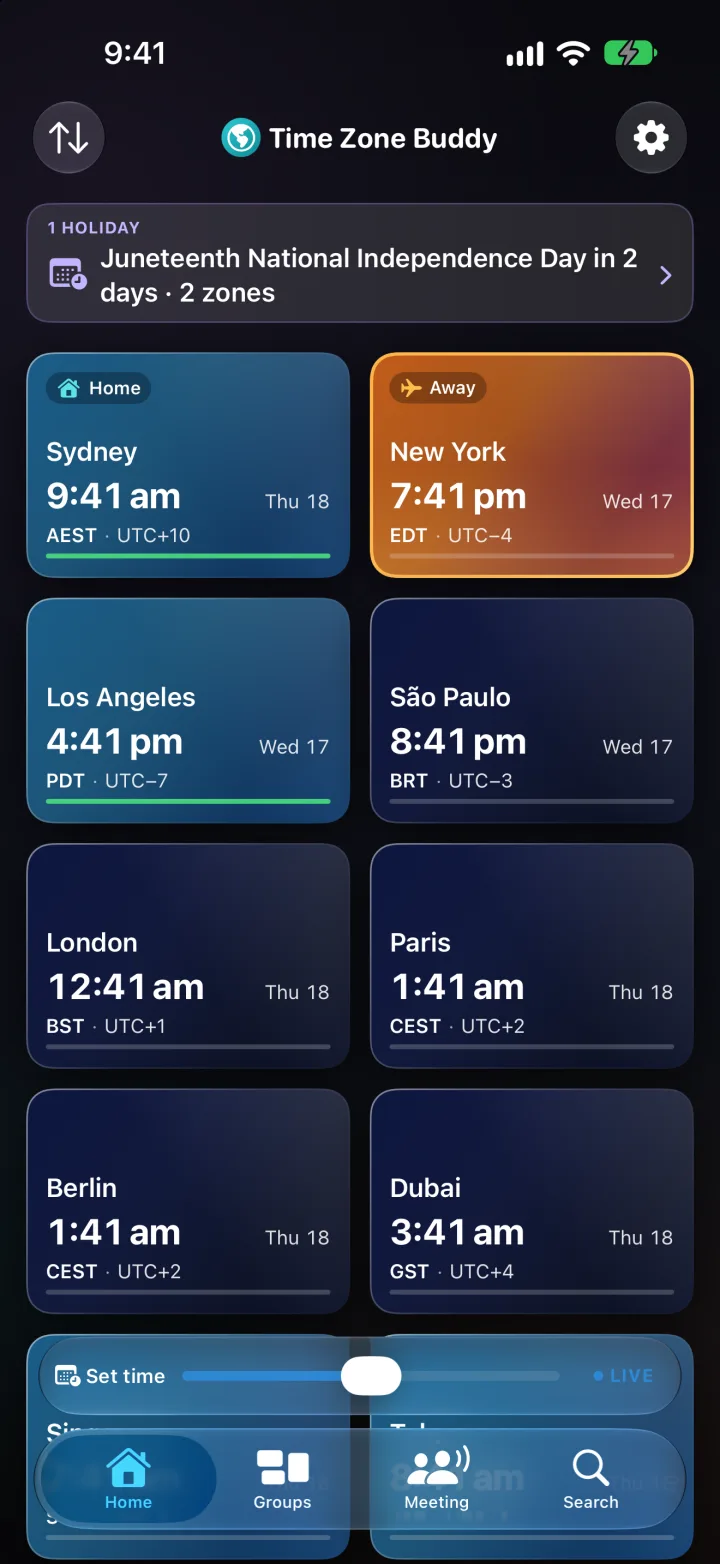
Pin your Home city. Land somewhere new and an Away card appears beside it, so the time back home is always one glance.
Meeting Overlap Plus
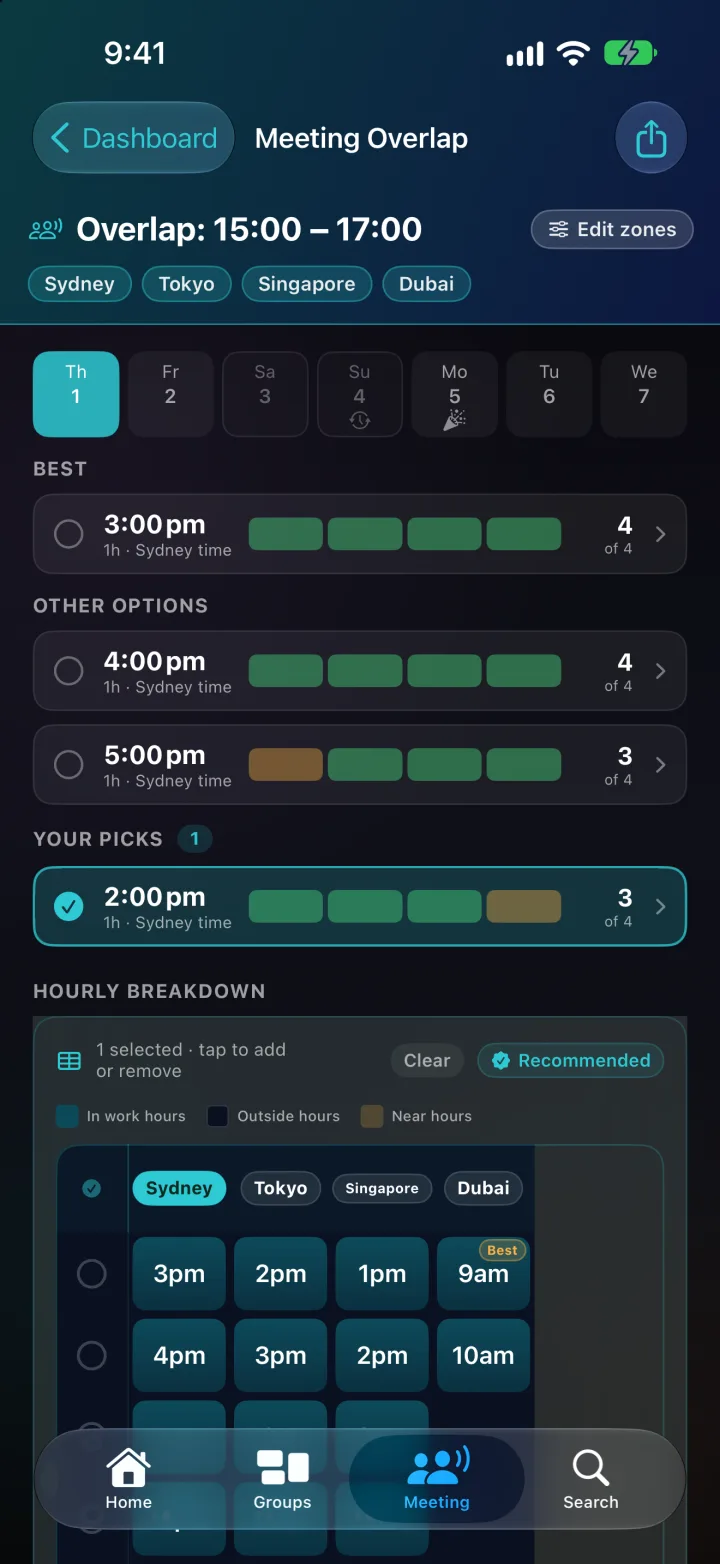
Pick the cities and a day this week. It finds the hour where everyone stretches a little, and nobody asleep counts as free.
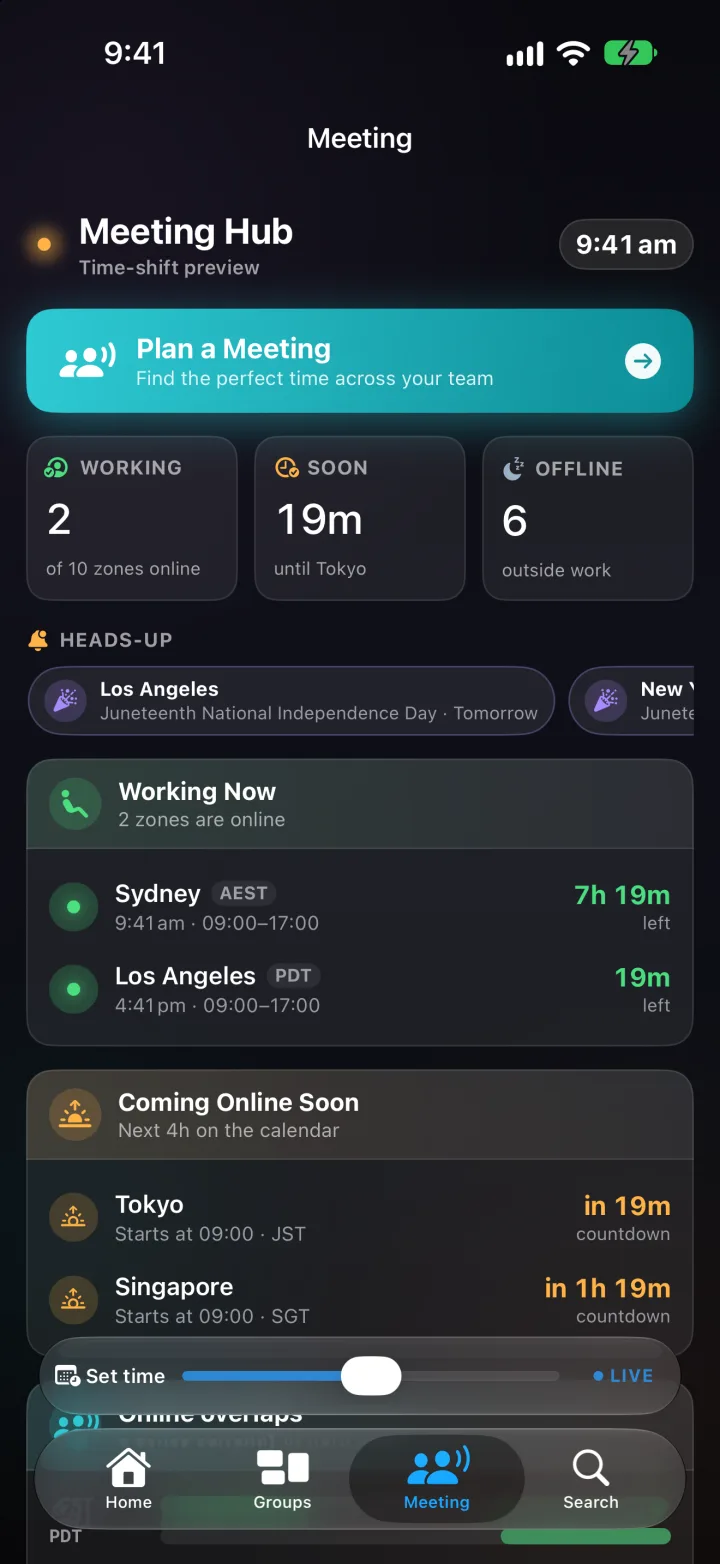
Meeting Hub
Who's online, who starts soon and who's off for the night, with tomorrow's holidays flagged before they catch you out.
DST alerts Plus
A heads-up the week before, then the day before, the day itself and the day after. Your Home city's changes are always free.
Public holidays Plus
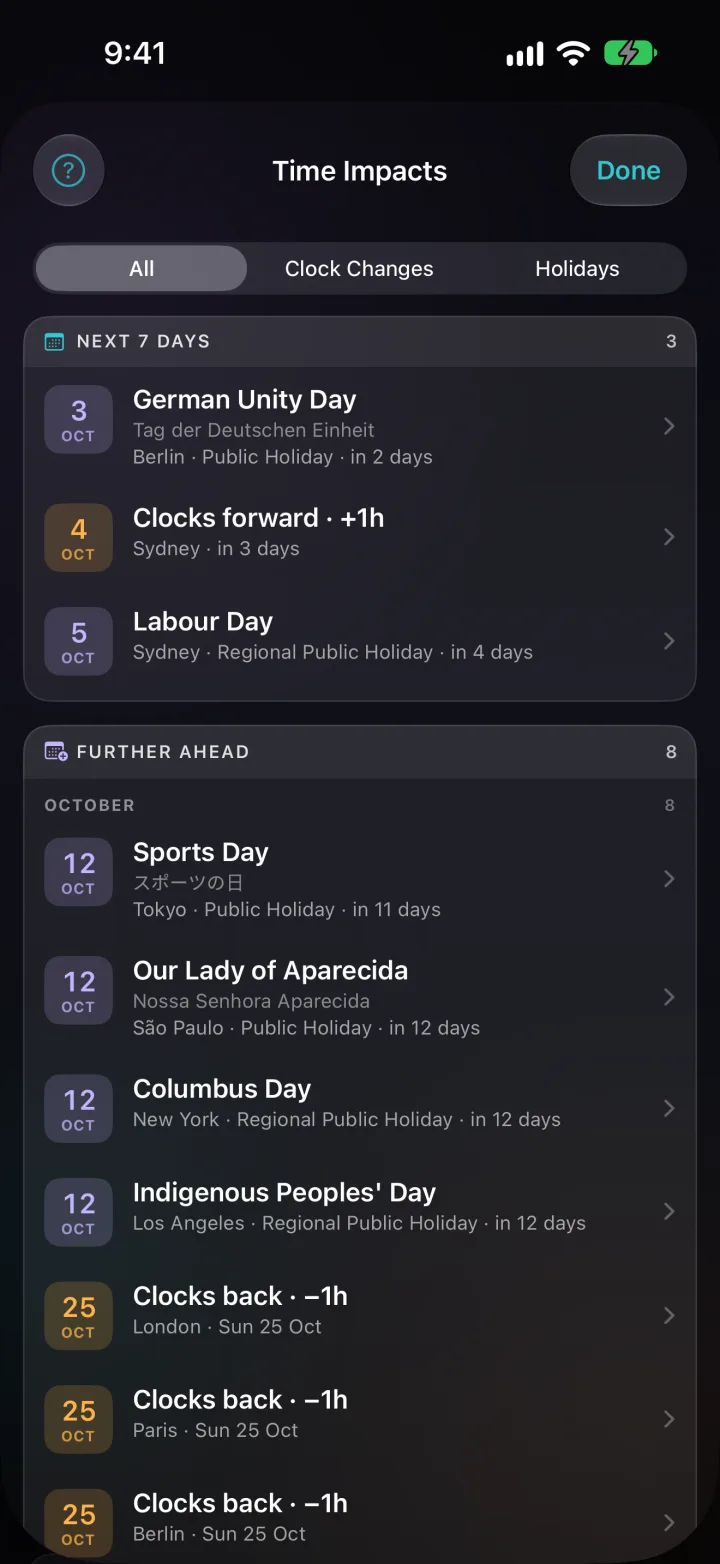
Time Impacts lists every holiday and clock change across your cities, up to a year ahead. 80+ countries, state by state where it matters.
Widgets & Lock Screen
Home & Away, Single Zone, Multi-City and a Lock Screen clock, free. Plus adds the Meeting Hub and every Lock Screen size.
Try it Free
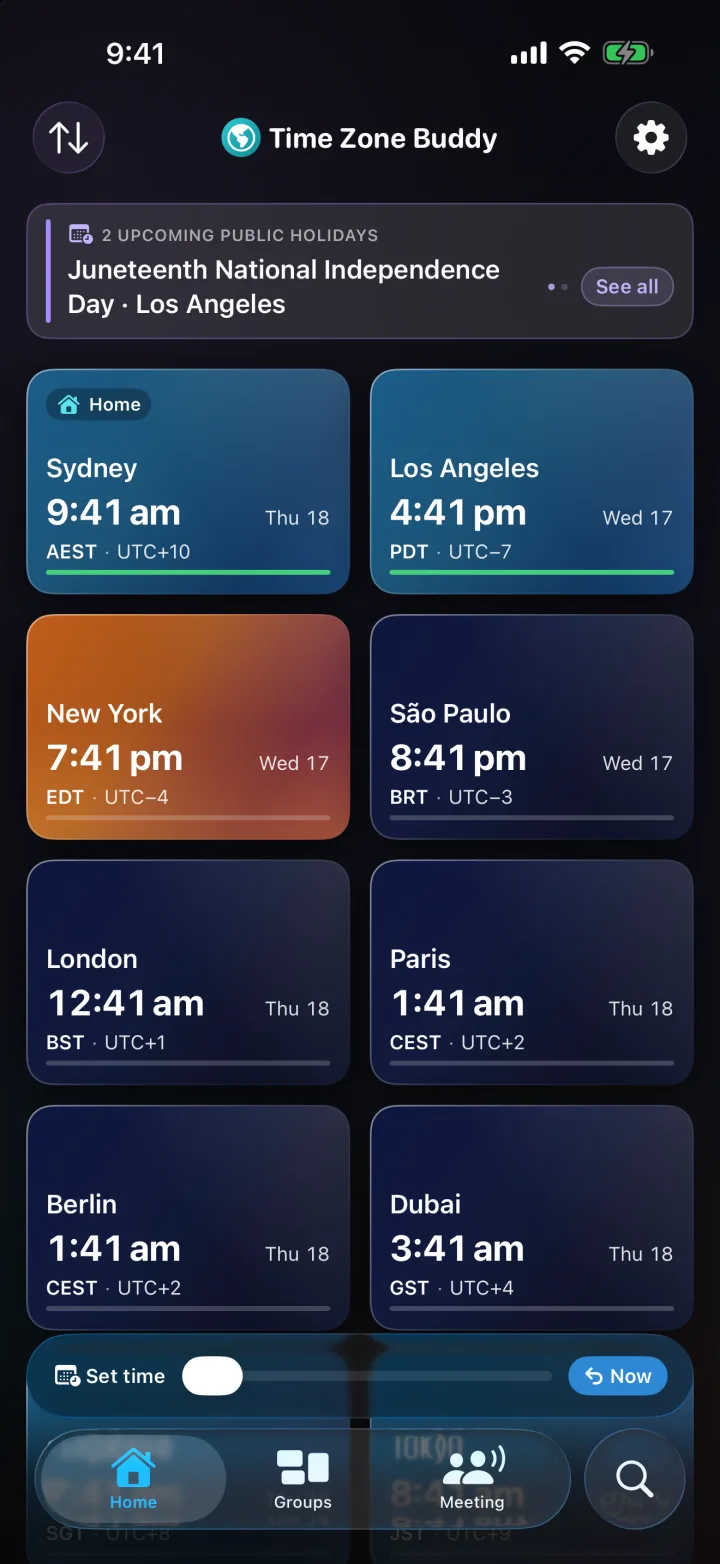
Drag the time bar and every city moves with it, starting from your own clock. It's the same bar that sits at the bottom of every screen in the app.
Green means inside 9 to 5 on a weekday. In the app, set anyone's hours and pick any date.
The city view Free
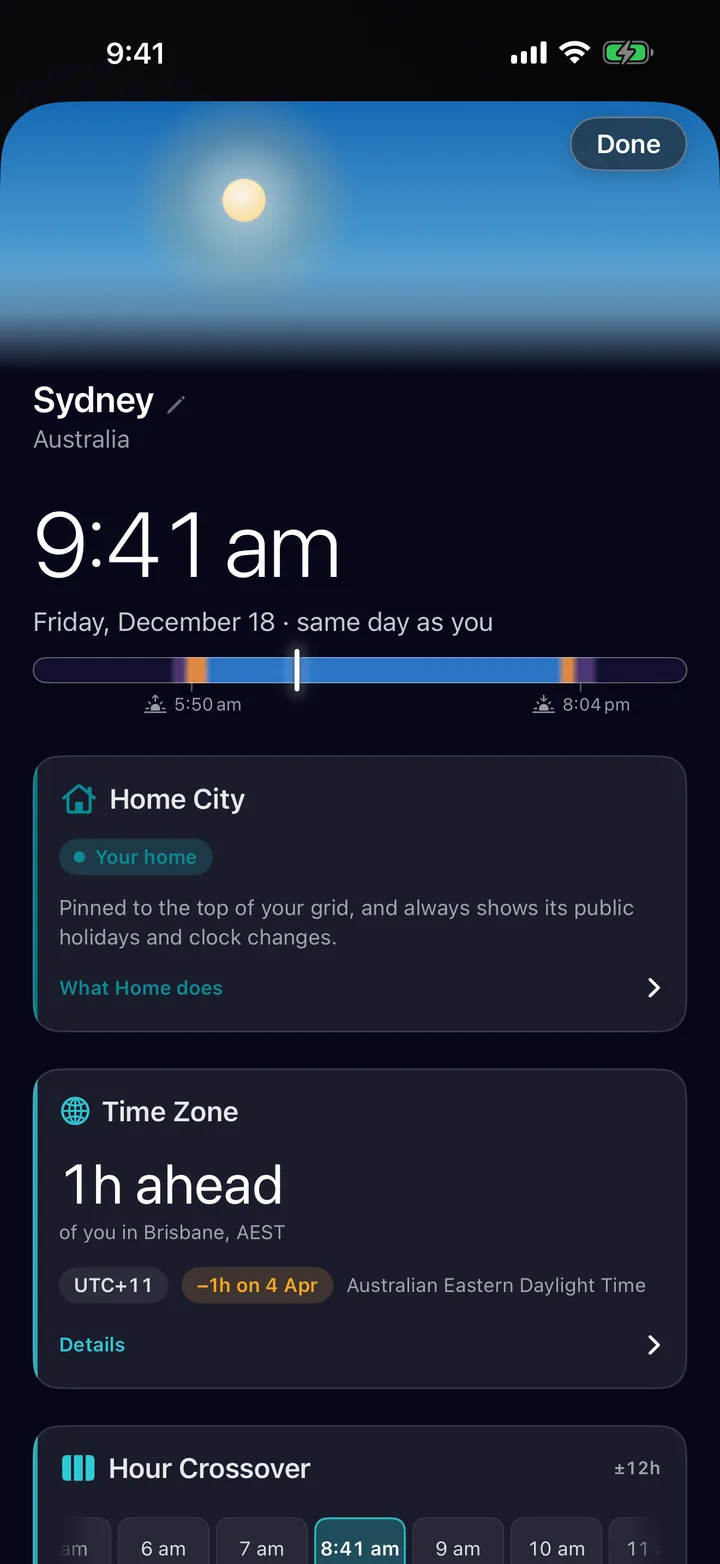
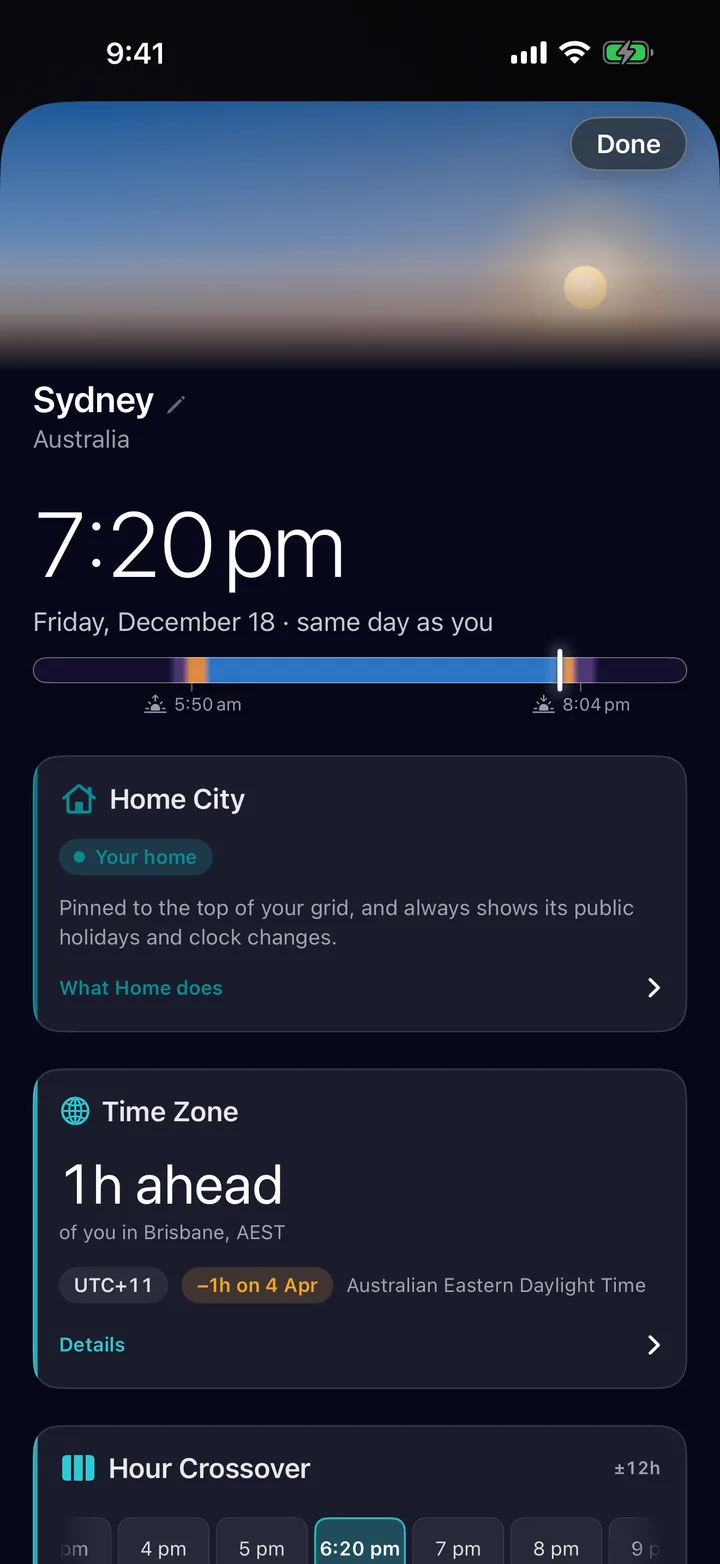
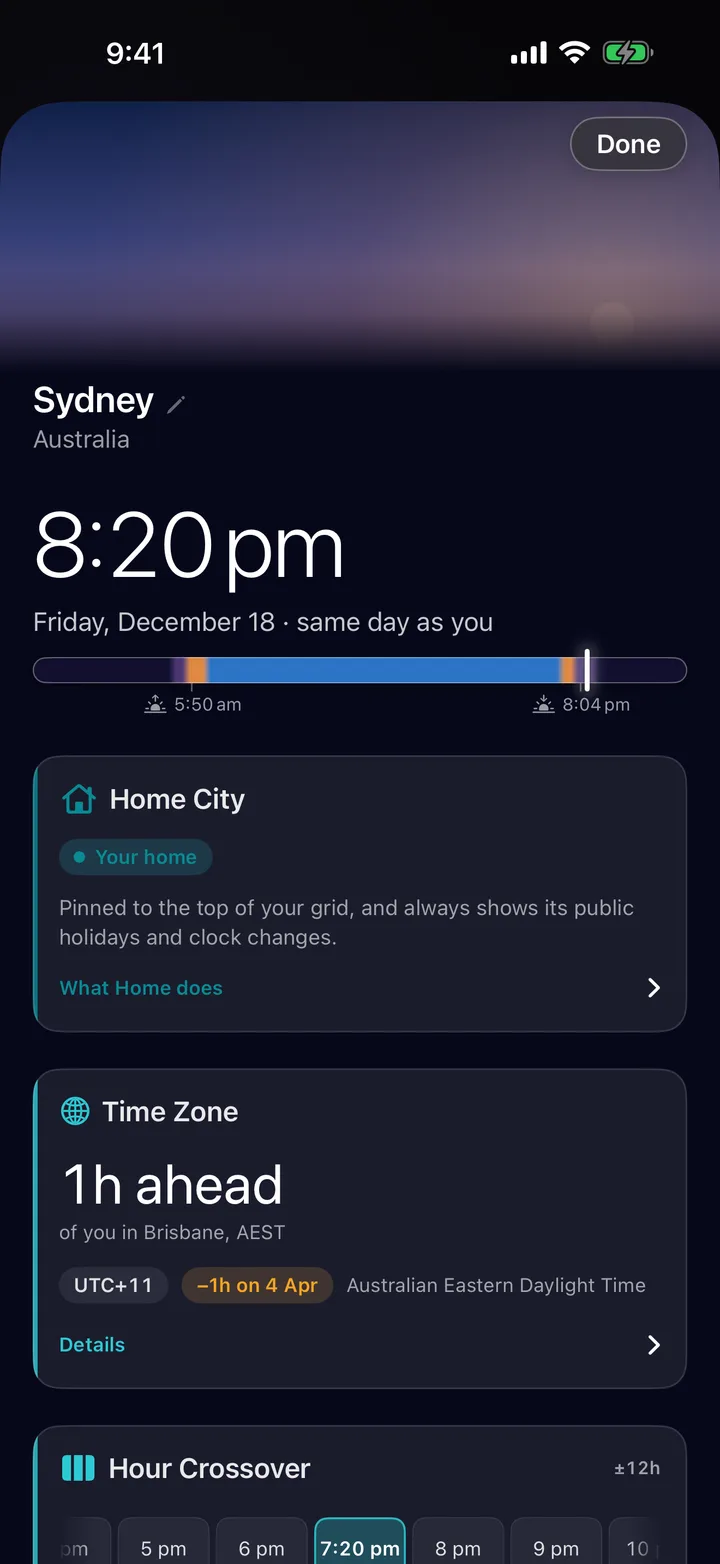
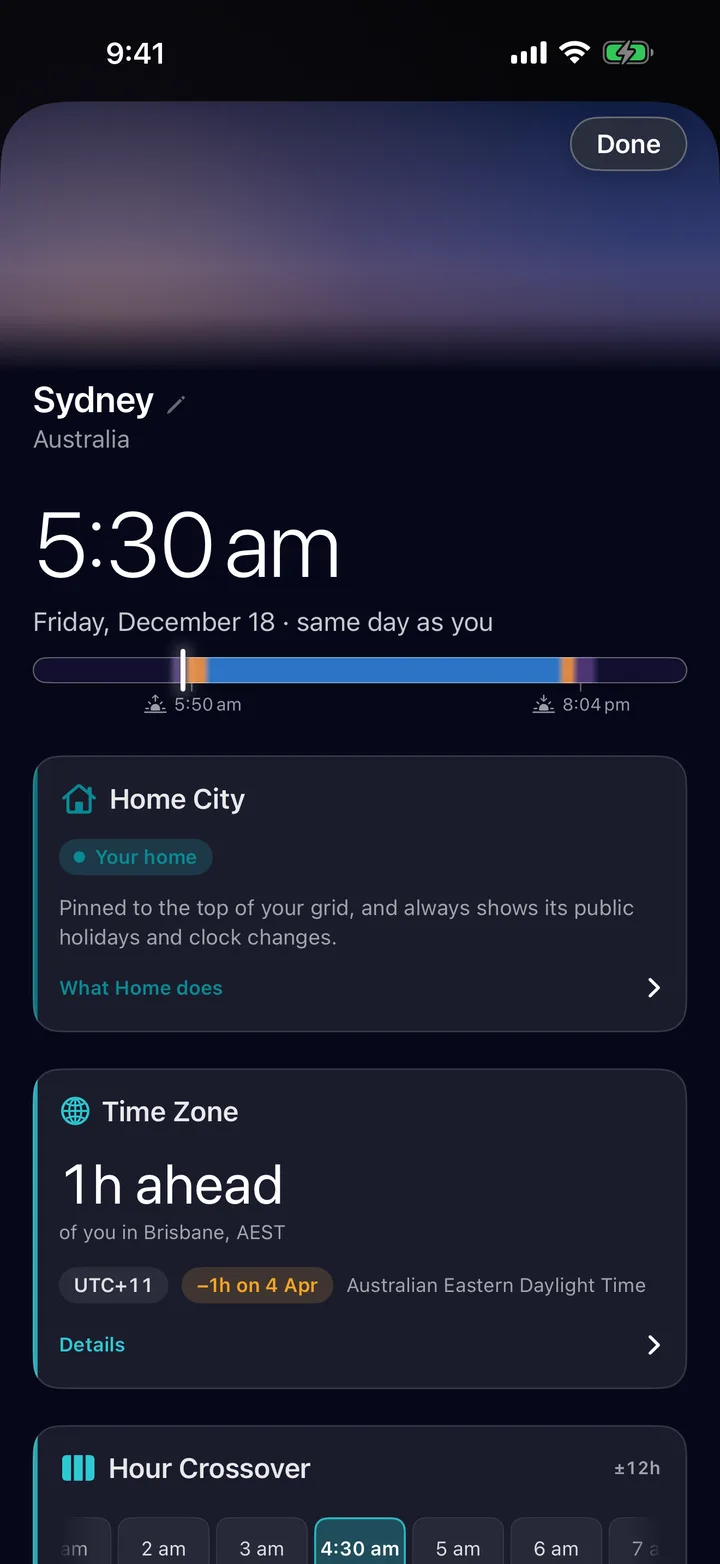
Tap a city and the sky over it fills the page, drawn from that city's own sunrise and sunset. A daylight bar shows how far through their day they are.
Time Zone Buddy is a privacy-first world clock app and time zone app for iPhone, iPad and Mac. Whether you need a world clock, a time zone converter, a meeting time planner, or an iPhone time zone widget, it's all in one calm app.
Private by design
Open it and start. There's nothing to sign up for.
Zones, groups and settings stay on your iPhone, synced through your own iCloud if you turn it on. There's no Time Zone Buddy server.
Anonymous, aggregate analytics only, never linked to you and never sold.
No tricks and no dark patterns. Start with the free app and see how it fits your week.
Recommended
About $1.25 a month · or $2.99/month · AUD · cancel anytime
Get PlusTime Zone Buddy is built by a solo developer. Your support keeps it actively improved. Prices in AUD; your local price is set by Apple and shown at checkout.
Up to 5 time zones, daylight-aware zone cards and the city view, the time-shift planner, Best Time to Call, and Travel Mode — including your Home city's public holidays and clock changes. The free widgets are Home & Away, Single Zone, Multi-City (2 cities), the circular Lock Screen clock and StandBy. Groups, Meeting Overlap, clock-change alerts and public holidays for your other cities, notifications, exports, the inline and rectangular Lock Screen clocks, the Meeting Hub widget and the larger Multi-City sizes need Lifetime or Plus.
Yes. The Lifetime option ($39.99 AUD) unlocks everything except iCloud Sync with a single purchase. No subscription, no renewal. You keep all current features forever on iOS and iPadOS.
iCloud Sync is an active, continuously running service — it keeps your zones and groups in sync across your supported Apple devices. Because it requires ongoing maintenance, it's the one feature that honestly belongs with a subscription. Everything else is a one-time unlock.
iCloud Sync (your zones appear instantly on every supported Apple device you own), Family Sharing with the Annual plan (up to 5 family members), and early access to new features. If iCloud Sync or Family Sharing matters to you, Plus Annual is the right choice. If you prefer owning your software outright, Lifetime is the better deal.
Yes — the Annual plan includes Family Sharing for up to 5 family members via App Store Family Sharing. The Monthly plan does not include Family Sharing. Lifetime does not include Family Sharing.
Yes. Your time zones, groups, and settings never leave your device — there are no accounts and no servers of our own. The app uses only anonymous, aggregate analytics (via Firebase) to understand which features are used; it is never linked to your identity and never sold. If you enable iCloud Sync (Plus only), your data is stored in your personal iCloud account — not ours. We never see it.
When a tracked time zone has a daylight saving change coming up, the alerts banner at the top of the Home screen says so, and Time Impacts lists every clock change and public holiday across your cities for the next 7 days, 30 days, 3 months or the whole year. Your Home city's clock changes are shown on every tier; the rest need Lifetime or Plus. If you enable notifications, you'll get alerts 7 days before, the business day before, the morning of the change, and the day after — all scheduled on-device.
Meeting Overlap finds the best time window to meet across any number of time zones. It checks every candidate window against each city's local work hours, sorts the results into Best, Other options and Your picks — ranked so everyone stretches a little rather than one person taking all of it — and shows each city's local time. Tap any of the next seven days to plan that day; days off, public holidays and clock changes are flagged before you book. Share the result as a clean image or text. Requires Lifetime or Plus.
Yes. Ask Siri for the time in a city, whether a city is in work hours, or its next public holiday. Three App Shortcuts also appear in Siri, Spotlight, and the Shortcuts app: “Plan a meeting in Time Zone Buddy”, “Add a time zone in Time Zone Buddy”, and “Show alerts in Time Zone Buddy”, and long-pressing the Home Screen icon exposes the same three as Quick Actions. Saved zones are indexed in Spotlight with their country flag, region, UTC offset, and both standard and DST abbreviations — search EST, EDT, AEST, or AEDT any time of year and the right zone surfaces.
Yes. Home & Away, Single Zone, Multi-City (2 cities), the circular Lock Screen clock and the StandBy bedside clock are free. Lifetime and Plus add the inline and rectangular Lock Screen clocks, Multi-City with up to 6 cities, and the Meeting Hub widget that shows who's in work hours right now across all your zones, who's coming online soon, and who's off. Tap any widget to jump straight into the app. Widgets read your data on-device through a private App Group — nothing leaves your device.
Open Time Zone Buddy → Settings → Restore Purchases. Your Lifetime or Plus subscription will be restored automatically using your Apple ID.
Free to download. Upgrade when you're ready.
Time Zone Buddy isn't on the EU App Store yet. Leave your email and we'll tell you the moment it launches in your country. One email, that's it.