The World Clock App Built for iPhone
Track every city and country that matters to you — in one privacy-first world clock app for iPhone, iPad, Apple Watch and Mac.


What is a world clock app?
A world clock app lets you see the current local time in multiple cities and countries at once — without mental arithmetic or switching between apps. Whether you're collaborating with a team across continents, keeping in touch with family abroad, or managing calls across different time zones, a good world clock app keeps everyone's time visible at a glance.
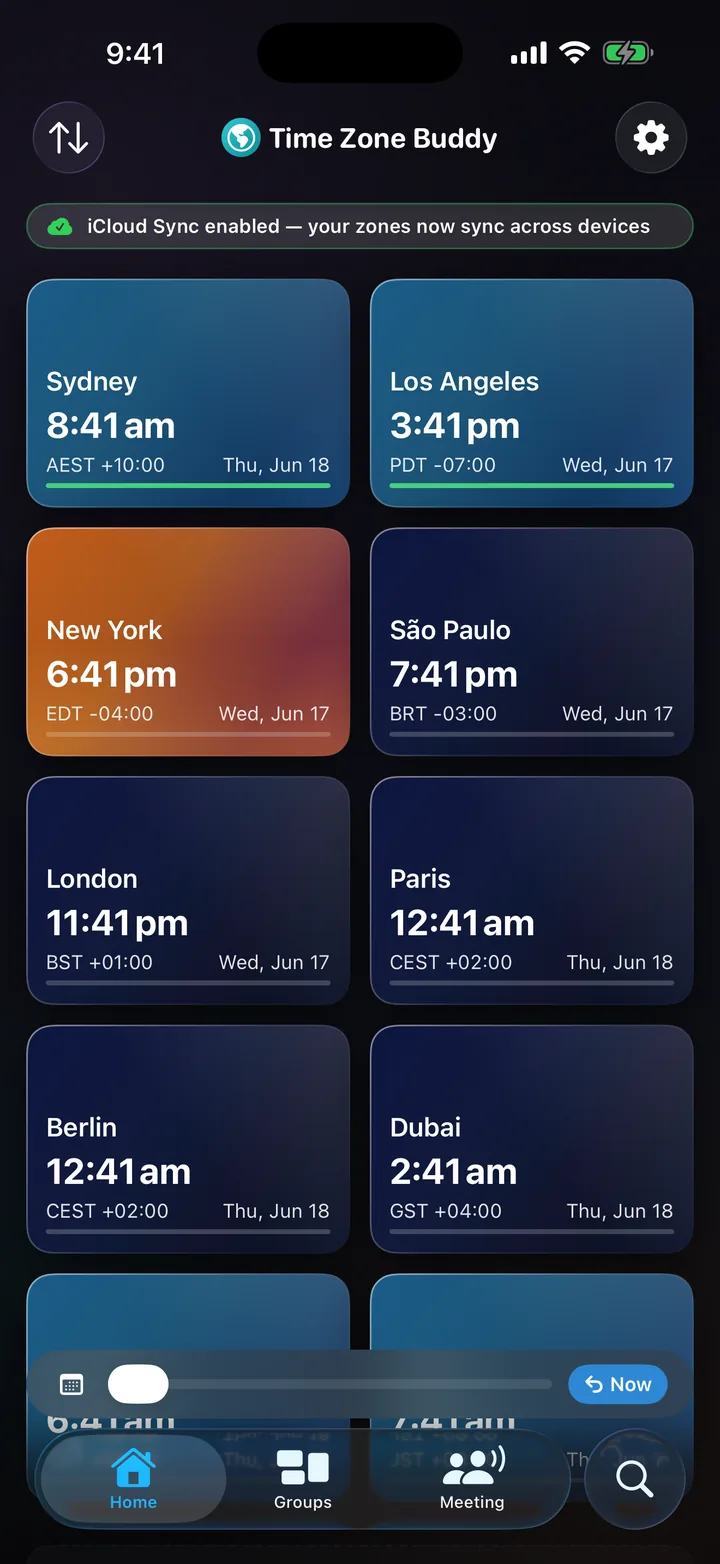
Time Zone Buddy goes further than a basic world clock. Each city card shows daylight arcs, sunrise and sunset times, work hours indicators, and UTC offsets — all updating in real time. It's the world clock app that tells you not just what time it is somewhere, but whether people there are awake, working, or asleep.
Everything a world clock app should do — and more
Track any city, anywhere
Search by city, country, or region to add any time zone to your world clock, then filter your cities by name, country, an abbreviation like IST or an offset like +5:30. Free users can track up to 5 cities; Lifetime and Plus unlock unlimited cities.
Daylight at a glance
Daylight-aware zone cards shift in colour from warm amber at sunrise to vivid cerulean at midday to deep navy at night — so you can see daylight conditions for every tracked location in your world clock instantly.
Work hours indicator
Customisable work hours per zone let your world clock show at a glance whether your contacts are within business hours or already off for the day — no more guessing.
Widgets, Apple Watch and Mac
Keep your world clock on the Home Screen with the free Single Zone widget (small & medium) — daylight-aware, with a day timeline and work-hours status. The circular Lock Screen clock and the Heads-up widget are free too; Lifetime and Plus add the inline & rectangular Lock Screen clocks and a live Meeting Hub widget showing who's working right now. The Apple Watch app puts your cities on your wrist, and on the Mac every city is one click away in the menu bar.
Heads-up
One timeline of clock changes, public holidays and market closures across your cities, over 7 days, 30 days or the full year. Every city's clock changes are free for the next 30 days. Plus and Lifetime show the whole year and add Clock Change Notifications.
Groups
Organise your world clock into named groups — one for the EMEA team, another for family, another for clients. Each group is one card with a bar of your day, a filter finds it by name or by a city in it, and a tap opens a page for the group: everyone's day on your clock, the best time to meet and what is coming up.
Seasons
A city's page shows the season there, counted the way people in that country count it. Your Home city's season is free; Lifetime and Plus show every city's.
Privacy first
Unlike many world clock apps that track and sell your usage, Time Zone Buddy keeps your data on your device — no account, and only anonymous, aggregate analytics that's never linked to you or sold.
Why choose Time Zone Buddy as your world clock app
Most world clock apps show you a list of city names with their current time — and nothing else. Time Zone Buddy reimagines what a world clock app can be. Every city card is a living snapshot: daylight arcs, sunrise and sunset times, work hours, UTC offsets, and clock-change status, all in one glance.
It also brings a time shift planner, a meeting overlap finder and Heads-up for clock changes into one native app — built in SwiftUI for iPhone, iPad, Apple Watch and Mac, with VoiceOver, Dynamic Type, and Reduce Motion support.
Ready to upgrade your world clock? See all features or explore pricing. Also available: our time zone converter and iPhone time zone widgets.
Download the world clock app. Free.
Available on iPhone, iPad, Apple Watch and Mac. Free to start.